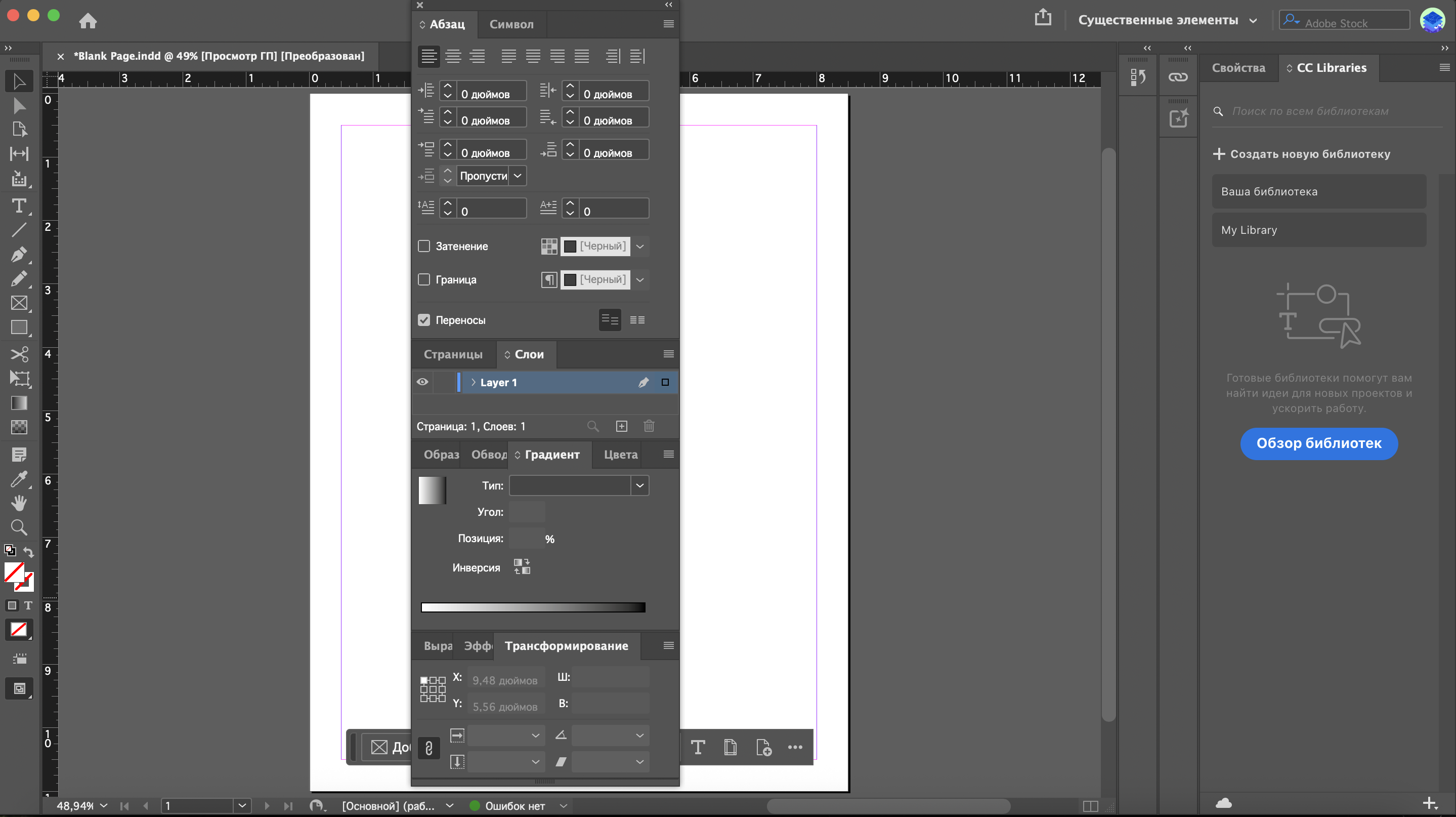
In Project Builder 1, I grouped and docked the required panels in Adobe InDesign. My InDesign interface is currently displayed in Russian. Although the panel names appear in Russian in the screenshot, I followed the English textbook instructions and used the corresponding Paragraph, Character, Pages, Layers, Swatches, Stroke, Gradient, Color, Align, Effects, and Transform panels.
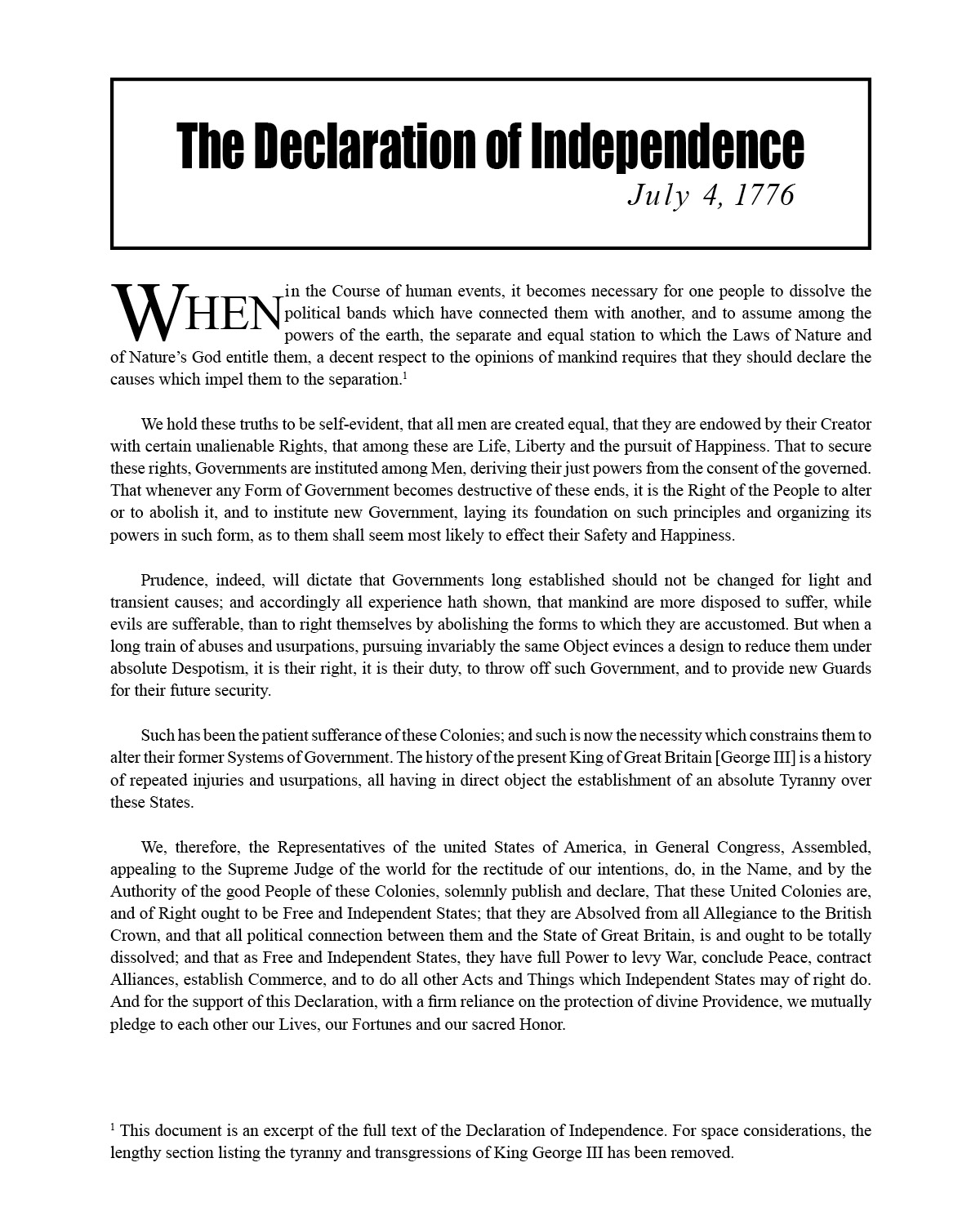
In Chapter 2 Project Builder 1, I modified the first word of a paragraph to create a more prominent drop cap. I used character formatting, superscript, baseline shift, and kerning to format the word WHEN.

In Chapter 3 Project Builder 1, I created a text frame on the A-Master page and added an automatic current page number between two em dashes. I formatted the page number at 20 points, centered it, applied the dark blue color, and positioned the text frame at the bottom of the center column.
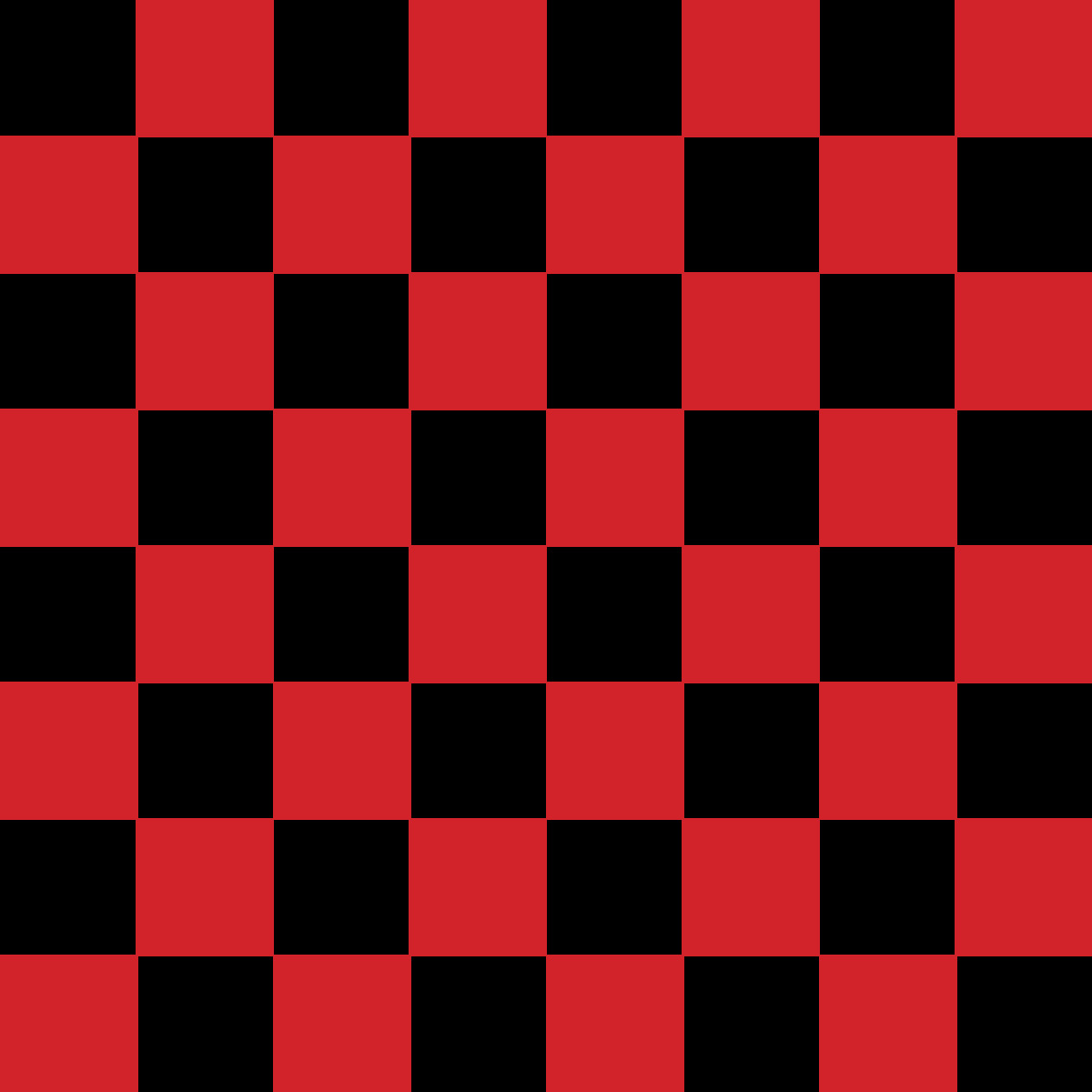
In Chapter 4 Project Builder 1, I created an 8-inch by 8-inch checkerboard using one-inch square frames. I applied black and Brick Red fill colors and removed the strokes. I then used the Step and Repeat command to duplicate and position the squares into eight rows and eight columns.
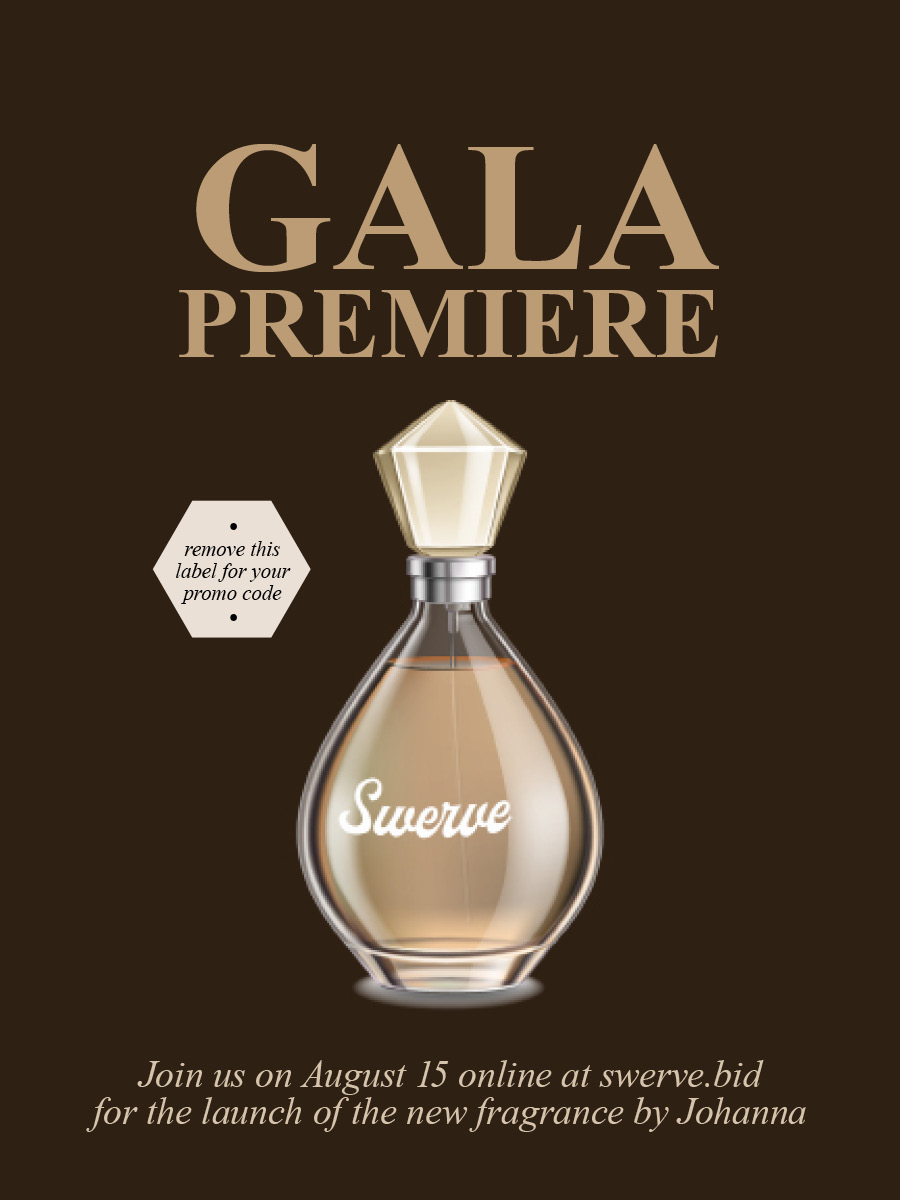
In Chapter 5 Project Builder 1, I sampled the color of the perfume bottle with the Eyedropper tool and created a named process-color swatch called Swerve Tan. I also created 60% and 30% tint swatches based on Swerve Tan and applied the new colors to the postcard text and promotional label.